










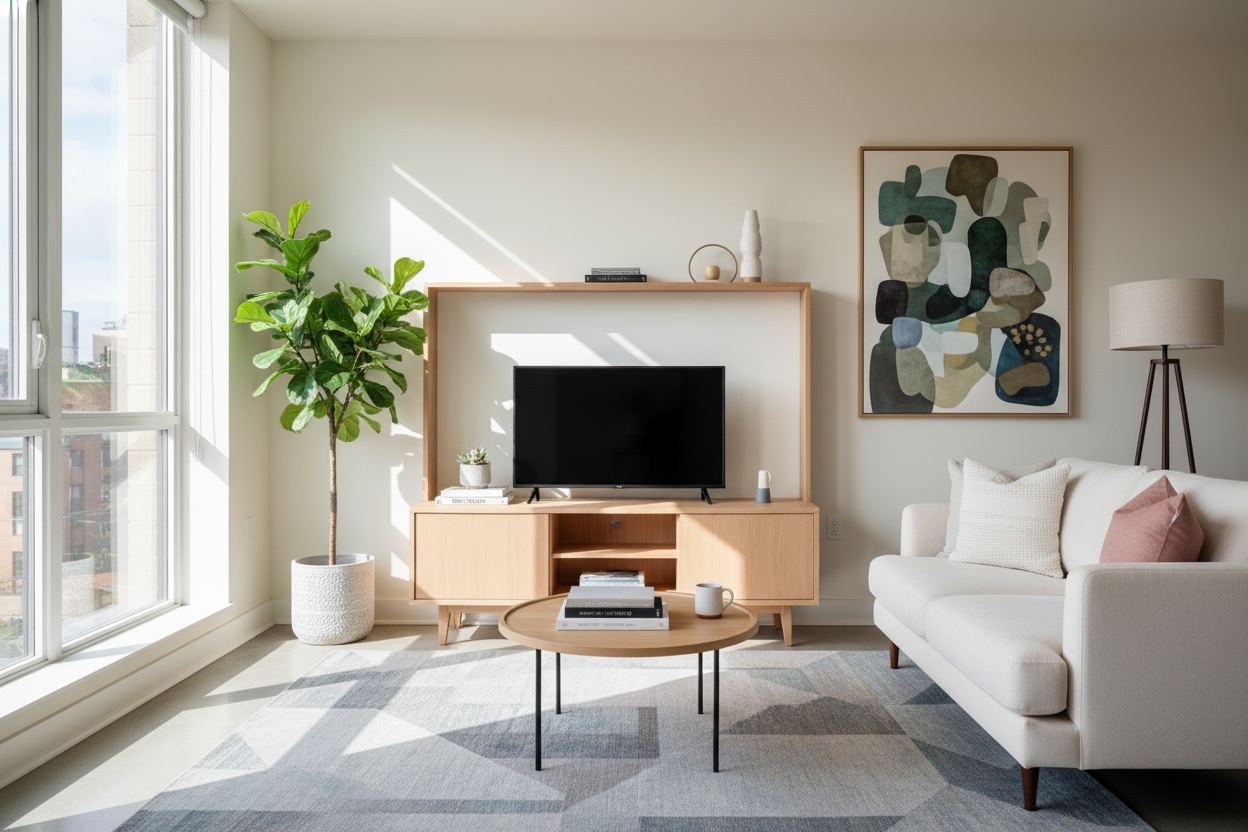
I remember sitting on my floor in a 450-square-foot studio, staring at my 'standard' 60-inch media console. It looked like a monolith. It didn't just hold my TV; it ate the entire wall and made my sofa feel like it was shoved into a dark corner. Finding a tv entertainment center small enough to actually fit without making the room feel like a storage unit became my weekend obsession.
- Prioritize units with legs to see more floor space and create airflow.
- Closed storage is mandatory to hide the inevitable bird's nest of cords.
- Keep the depth under 15 inches to prevent the unit from encroaching on walkways.
- Avoid bulky, solid-to-the-floor designs that stop the eye.
The Real Problem With Standard Media Consoles
The furniture industry seems to think everyone lives in a three-bedroom house with a dedicated 'great room.' Most consoles start at 55 or 60 inches wide. In a tiny apartment, that footprint is a death sentence for your layout. It forces your other furniture into awkward angles and blocks natural paths to the kitchen or bathroom.
I spent months trying to make a hand-me-down buffet work before I finally admitted defeat. I traded my giant TV stand for something that didn't require a forklift to move. The difference was immediate. Suddenly, I could actually walk past my bed without shimming sideways like a crab.
Standard units are also usually too deep. An 18-inch deep cabinet in a narrow room is a tripping hazard waiting to happen. Look for units that hover around the 12 to 14-inch depth mark. Your shins will thank you, and your room will feel significantly wider.
Visual Weight Matters More Than Exact Measurements
Here is a secret I learned after three returns: two units can have the exact same dimensions but feel completely different in a room. A solid, chunky wooden block that sits flush on the floor feels massive. It stops the eye and anchors the room in a heavy way. A 'leggy' unit allows the eye to see the floor underneath it, which tricks your brain into thinking the room is bigger than it is.
I usually lean toward mid-century modern silhouettes for this exact reason. Those tapered legs are doing heavy lifting for your floor plan. If you have a lot of tech gear, a stylish black TV stand entertainment center can work wonders. The dark finish helps the unit recede into the shadows of a corner, and the closed doors hide the blinking lights of your router and gaming consoles that usually scream for attention.
Don't be afraid of metal frames either. Thin powder-coated steel provides plenty of support for a 50-inch screen without the visual bulk of thick wood construction. It’s about finding that balance between 'sturdy enough to hold my TV' and 'not so heavy it looks like a bank vault.'
The 3 Rules I Used to Pick My Compact Console
Rule one: Closed storage is non-negotiable. Open shelving in a small space is just an invitation for visual clutter. Between the HDMI cables, power strips, and dust bunnies, open shelves look messy within a week. Get doors. Hide the chaos. You want people to see your style, not your cable management struggles.
Rule two: Height is your friend, but with a caveat. If you can't go wide, you might think about going up, but a tall hutch can feel oppressive in a studio. Instead, look for a unit that sits slightly higher off the ground on 8-inch legs. That extra bit of 'air' under the cabinet makes the footprint feel half as large as it actually is.
Rule three: Multi-functionality is the studio dweller's religion. Sometimes the best media unit isn't a media unit at all. I've seen people use a desk entertainment center that provides a workspace during the day and a TV perch at night. If one piece of furniture can do two jobs, you just won the space-saving lottery and saved yourself the cost of a second bulky item.
How to Style It So It Doesn't Look Like a Dorm Room
The biggest mistake people make with small units is centering the TV and calling it a day. It creates an 'electronics altar' vibe that feels very temporary. Instead, try an asymmetrical setup. Shift the TV slightly to one side and balance the other side with a tall plant or a stack of art books. It breaks up the horizontal line and makes the furniture look like a conscious choice.
Leaning a piece of art behind or next to the screen also helps integrate the tech into your actual decor. It makes the TV feel like part of a gallery wall rather than a black plastic void. I once used a small brass lamp on the end of my console, and the warm light made the whole corner feel cozy instead of cramped.
Avoid the temptation to fill every square inch of the top surface. Leave some 'negative space.' If the top of your small console is covered in remotes, coasters, and candles, it will look like it's bursting at the seams. Keep it lean, keep it clean, and let the furniture breathe.
How wide should a TV stand be for a small room?
Aim for 36 to 44 inches. This is wide enough to support most 43-50 inch TVs while remaining compact enough to fit on short wall segments. Always ensure the stand is at least two inches wider than the TV's base for stability.
Can I use a floating shelf as an entertainment center?
You can, but it requires serious commitment to cable management. If you are a renter, a leggy console is usually better because you don't have to drill massive holes or hide wires behind the drywall.
What color is best for making a room feel larger?
White or light oak blends into light-colored walls, but matte black is a sleeper hit. Because black recedes, a slim black unit in a corner can almost disappear, making the electronics look like they are floating.

Dejar un comentario
Este sitio está protegido por hCaptcha y se aplican la Política de privacidad de hCaptcha y los Términos del servicio.