










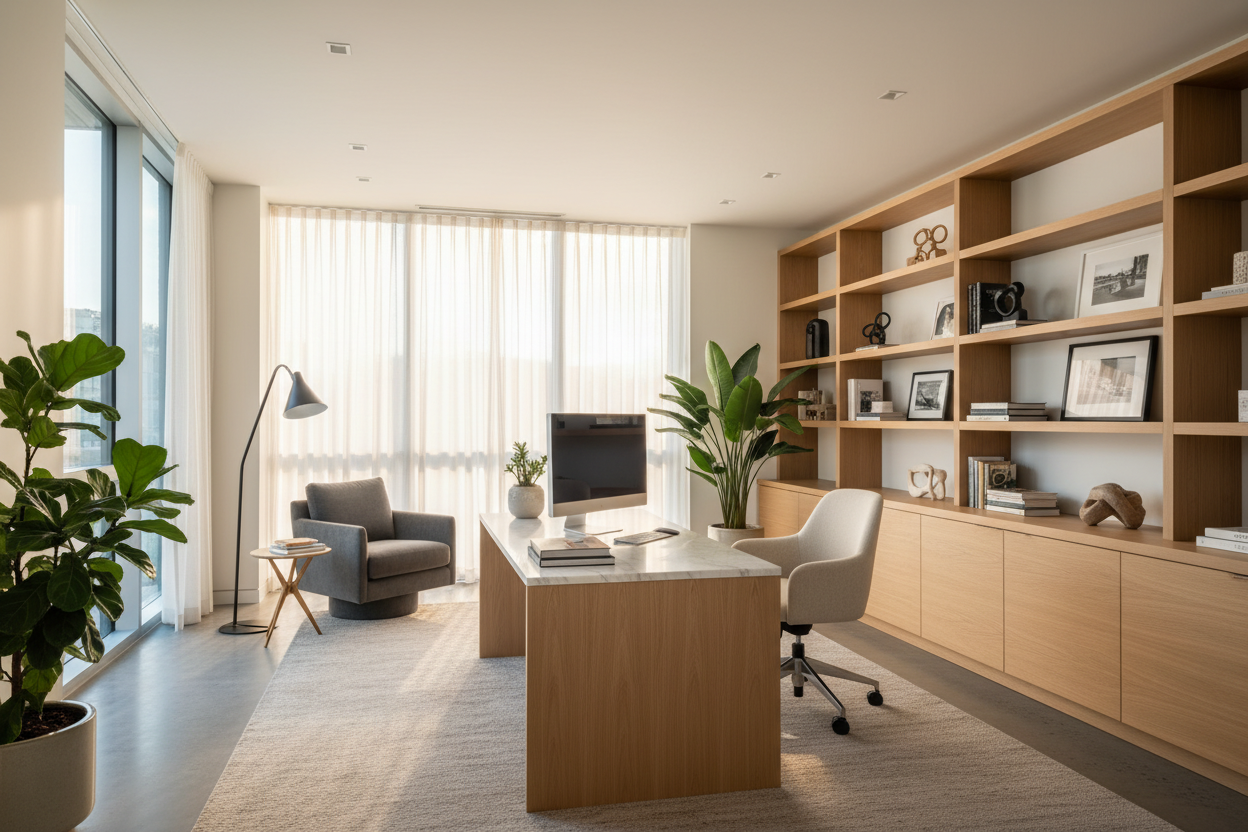
Whether you call it working from home or working at home, the reality is the same: your living space is now your corporate headquarters. For years, I watched clients treat their remote setups as temporary inconveniences—a laptop shoved onto a kitchen island or a wobbly folding table in the guest room. But as our professional and personal lives permanently merged, that makeshift approach started taking a massive toll on both productivity and posture.
Interestingly, the subtle debate over terminology often mirrors a shift in design philosophy. Are you just borrowing a corner of your dining room, or have you intentionally built a dedicated, permanent workspace? By the end of this guide, you will know exactly how to plan, furnish, and style a workspace that looks beautiful, respects your home's architecture, and functions flawlessly.
Quick Decision Guide
- Establish visual boundaries: Use an area rug or a dedicated light fixture to anchor the workspace, separating it from your relaxation zones.
- Prioritize the chair over the desk: A beautiful desk is useless if you cannot sit at it for eight hours. Invest your budget heavily in ergonomic seating.
- Respect clearance rules: Always leave a minimum of 36 inches between the edge of your desk and the wall or furniture behind you so you can push your chair back comfortably.
- Manage the visual clutter: Opt for desks with built-in cable management or add under-mount trays. Visible wires immediately make a home feel like a corporate cubicle.
The Mindset Shift in Space Planning
When clients ask me about the nuances of working from home vs working at home, I tell them it comes down to permanence. 'From home' implies you are tethered to an external office but operating remotely. 'At home' implies the home is the primary base of operations. Your furniture choices should reflect this reality.
Defining Your Footprint
If your setup is permanent, you need dedicated square footage. In typical North American suburban homes, this often means repurposing a guest bedroom. If you are in a smaller urban apartment, you might be carving out an alcove in the living room. Regardless of the room, avoid pushing your desk flush against a wall if space allows. Floating the desk facing the door—often called the 'command position'—gives the room a sense of authority and prevents you from feeling like you are staring into a penalty box all day.
Comfort & Ergonomics: The Non-Negotiables
Whether you write it as work from home or work-from-home, the physical toll on your body is identical if your furniture is poorly scaled. The standard desk height is 29 to 30 inches, which is actually too high for many people unless they use a keyboard tray or raise their chair and add a footrest.
The Truth About Office Seating
When comparing working at home vs working from home, the one universal truth is that dining chairs are not office chairs. A proper office chair needs adjustable seat depth, lumbar support, and armrests that can be lowered to slide under your desk. Look for high-density foam or breathable mesh. Performance fabrics are great for resisting coffee spills, but the internal mechanics of the chair dictate its lifespan.
Style & Coordination: Blending Work and Life
Your workspace shouldn't look like it was airlifted from a sterile corporate park. To integrate an office into a residential setting, focus on texture and warmth. If your home features a mid-century modern aesthetic, look for desks crafted from warm walnut veneers with tapered legs. For a transitional home, a painted solid wood desk with brass hardware bridges the gap between classic and contemporary.
Lighting as a Design Tool
Overhead recessed lighting casts harsh shadows on your face and screen. Layer your lighting by adding a stylized task lamp on the desk and a floor lamp in the corner. This not only reduces eye strain but also softens the visual weight of monitors and tech equipment.
Designer's Honest Take
Early in my career, I designed a stunning home office for a client in a historic Toronto rowhouse. We selected a gorgeous, vintage mid-century dining chair to pair with a sleek writing desk. It looked incredible on the mood board and in photos. Two months later, the client called me complaining of severe lower back pain.
I learned the hard way that a beautiful silhouette cannot compensate for a lack of lumbar support. We ended up swapping the vintage piece for a highly adjustable, commercial-grade ergonomic chair. It wasn't nearly as photogenic, but it allowed my client to actually do their job. Never compromise on your primary seating—save the sculptural, statement chairs for the living room where you only sit for an hour at a time.
Frequently Asked Questions
What is the ideal desk size for a home office?
For a standard setup with a monitor and a laptop, aim for a desk that is at least 48 inches wide and 24 inches deep. If you use multiple monitors or need space to review physical documents, you will want a depth of 30 inches to avoid eye strain.
How do I separate my workspace in an open-concept living room?
Use physical and visual cues. Anchor the desk with a specific area rug, use a tall bookshelf as a subtle room divider, or paint the wall behind the desk a slightly darker, contrasting color to define the 'office' zone.
Is a standing desk worth the investment?
Yes, but only if you actually use the mechanics. If you buy a standing desk, ensure it has a dual-motor system for smooth lifting. Single-motor desks tend to burn out faster and wobble at their highest extension.

Dejar un comentario
Este sitio está protegido por hCaptcha y se aplican la Política de privacidad de hCaptcha y los Términos del servicio.