










We have all seen it: the dining chair that ruins your posture or the backlit window that turns you into a silhouette during video calls. As we settle into the long-term reality of **virtual working from home**, the makeshift setups of the past are no longer sufficient. Designing a space that functions as a high-performance office while retaining the warmth of a home is a delicate balancing act. This article explores how to curate a professional environment that supports your physical health and elevates your interior aesthetic.
Quick Decision Guide: Essentials for the Home Office
- Ergonomics Over Aesthetics: Prioritize chairs with adjustable lumbar support and seat depth over trending sculptural shapes.
- Lighting Layers: Combine ambient overhead light with task lighting and face-level diffusion for video calls.
- Acoustic Control: Incorporate soft furnishings (rugs, curtains, upholstered panels) to dampen echo for clear audio.
- Material Durability: Choose matte finishes for desks to prevent mouse tracking issues and reduce webcam glare.
- Spatial Zoning: Use area rugs or open shelving to visually separate the "work zone" from the "living zone."
Curating the Visuals: The "Digital" Backdrop
For employees who work from home, your background is essentially your new office dress code. It speaks volumes before you even unmute yourself. The goal is to create a "set" that looks professional yet lived-in.
Depth and Texture
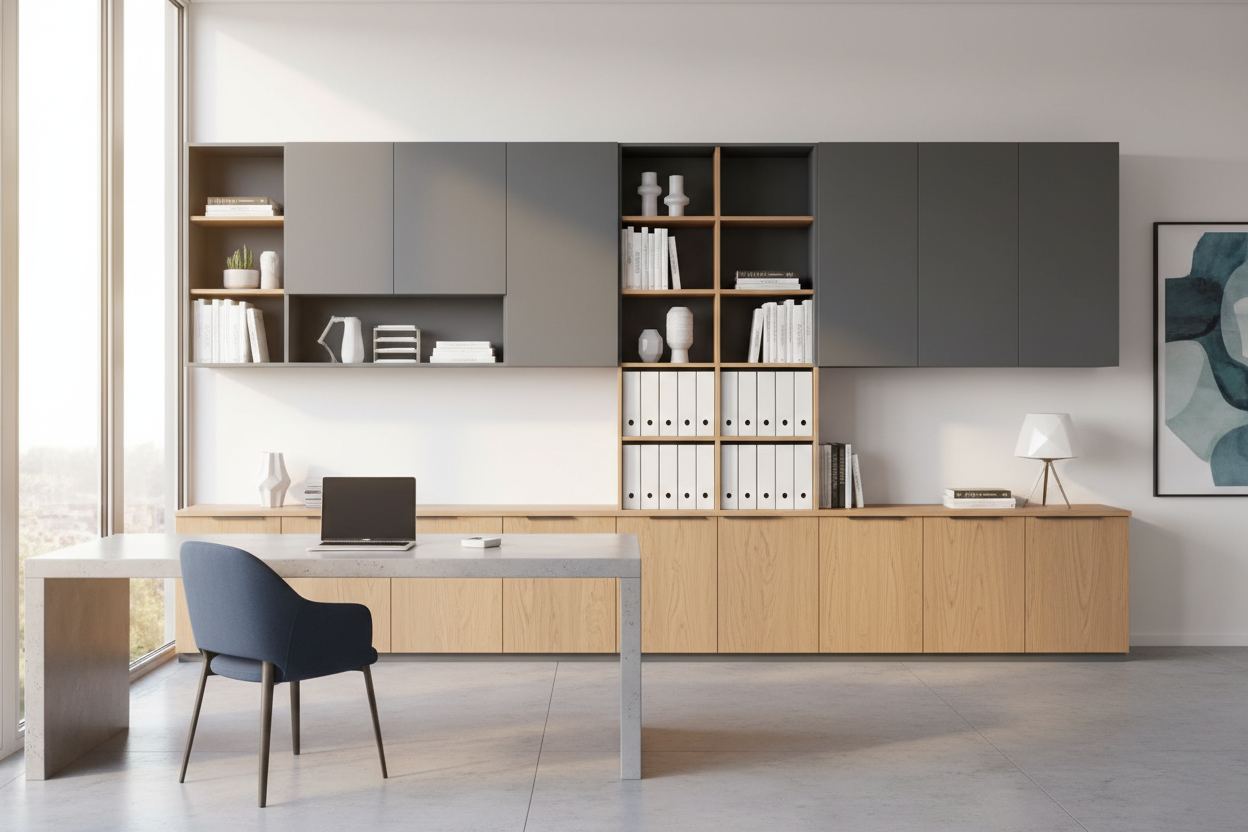
Avoid placing your desk flat against a white wall. This creates a sterile, interrogation-room vibe. Instead, position your desk to have depth behind you. A bookshelf styled with a mix of books, organic ceramics, and plants adds texture. For wfh workers in smaller apartments, a textured wallpaper or acoustic wood slat panel can add necessary depth without taking up square footage.
The Lighting Equation
Digital working from home relies heavily on how you look on camera. Overhead can lights cast unflattering shadows under the eyes. I always advise clients to invest in a desk lamp with an adjustable arm and a fabric shade to diffuse light. If natural light is abundant, position your desk perpendicular to the window, not facing it (glare) or with your back to it (silicouetting).
Ergonomics: The Furniture Foundation
The biggest complaint I hear from a home based employee isn't about the job itself, but the physical fatigue caused by poor furniture.
The Chair: Mesh vs. Upholstery
While a velvet tub chair looks luxurious, it offers zero breathability or support for an 8-hour shift. For work from home staff, a high-quality task chair is non-negotiable. If you hate the "corporate" look of mesh, look for brands that offer performance fabric upholstery on ergonomic frames. You need a 5-point base for stability and adjustable tension control.
The Desk Surface
When selecting a desk, consider the tactile experience. Solid wood is warm and durable but requires maintenance (coasters are mandatory). High-pressure laminate is practical for work from home reporting tasks where you might be aggressively typing or using a mouse without a pad. Avoid glass tops; they are cold to the touch, fingerprint magnets, and often wreak havoc on optical mice.
Zoning and Flow in Multi-Use Spaces
Employees working from home often struggle to "leave" work at the end of the day. Design can solve this. If you don't have a dedicated room, use an area rug to define the office footprint. When you step off the rug, you are "off the clock."
Consider the traffic flow. Your chair needs at least 30 to 36 inches of clearance behind it to push back comfortably. Ensure that your work from home wfh setup doesn't block pathways to terraces or kitchens, creating a cramped, stressful energy in the room.
Lessons from My Own Projects
I learned the hard way about surface finishes during a project for a high-profile wfh employee (a tech executive). We designed a stunning, custom high-gloss lacquer desk in navy blue. It looked incredible in the portfolio photos.
However, within a week, the client called me. The glossy finish was reflecting the monitor light right into his eyes, causing migraines, and every time he touched it, it left an oily smear. We had to have the entire piece refinished in a satin matte. It was a humbling reminder that in interior design, function must precede form, especially for work from home employee setups where the furniture is a tool, not just a sculpture.
Conclusion
Refining your workspace is an investment in your career and your well-being. By selecting the right materials, controlling your lighting, and respecting ergonomics, you move from simply surviving the remote work era to thriving in it. Create a space that makes you feel capable the moment you sit down.
Frequently Asked Questions
What is the ideal desk depth for a home office?
For standard laptop use, 24 inches is sufficient. However, if you use multiple monitors or require space for physical documents, aim for a depth of 30 inches to maintain proper focal distance from your screens.
How can I hide cords in a floating desk setup?
Cable management is vital for visual peace. Use under-desk cable trays (vertebrae spines) that run down the leg of the desk, or choose a desk with integrated grommets and hollow legs designed to route power cords invisibly.
Is a standing desk worth the investment for a home based employee?
Yes, but visual weight is a concern. Many standing desks look very industrial. Look for models with wood-veneer tops and legs that can be customized to match your existing hardware (brass, matte black) to blend seamlessly with your home decor.


Leave a comment
This site is protected by hCaptcha and the hCaptcha Privacy Policy and Terms of Service apply.