










There is a distinct psychological shift that happens when you step into a well-curated office. However, when starting new job remotely, that transition is entirely up to you to create. The most common dilemma I see with clients transitioning to home-based roles isn't a lack of professional skill, but a lack of spatial definition. If you are working from the corner of a dining table, you are mentally hindering your performance before the first meeting begins. This guide explores how to curate a workspace that merges ergonomic function with high-end residential aesthetics to set the stage for your career success.
Quick Decision Guide: The Remote-Ready Workspace
- Ergonomics First: Prioritize a chair with adjustable lumbar support and seat depth over purely sculptural accent chairs.
- Lighting Layers: Combine ambient overhead lighting with task lighting and a diffuse frontal light for video calls.
- Surface Area: Ensure your desk depth is at least 24-30 inches to maintain proper focal distance from monitors.
- Acoustics: Incorporate soft textiles (rugs, curtains) to dampen echo and prevent audio feedback during meetings.
- Background Curation: Style the wall behind you to be professional yet personal; it is your new visual elevator pitch.
Zoning Your Professional Sanctuary
One of the primary challenges of starting a new job remotely is the bleeding of domestic life into professional time. From a design perspective, this is a layout issue. You must establish a 'threshold'—a physical or visual boundary that signals the start of the workday. If a dedicated room isn't available, use a console table behind a floating desk or an open-shelf bookcase to partition the space. This creates a distinct zone, helping you avoid struggling with new job working from home due to distractions.
Desk Placement and Orientation
Never face a blank wall if you can avoid it. In design, we refer to the 'command position'—facing the door or the room's center. This reduces subconscious anxiety and provides a better visual depth for your eyes. When preparing for your first day remote job, position your desk perpendicular to a window. This allows for natural light without the harsh glare on your screen or the silhouetting effect on video calls.
Investing in Tactile Materials
Since you will be touching these surfaces for eight hours a day, material quality is paramount. For desks, solid wood (walnut or white oak) offers warmth and durability that laminate cannot match. It ages beautifully and can be refinished. For seating, be wary of cheap bonded leather which peels within a year. Instead, look for commercial-grade fabrics or top-grain leather that breathes. A high-quality textile contributes to your comfort, which directly correlates to your stamina during those long onboarding sessions typical of a first remote job.
Lighting: The Virtual First Impression
When you are figuring out how to start a new job remotely, remember that your colleagues only see what is in the frame. Lighting is your primary tool for visual communication. Avoid relying solely on a ceiling fixture, which casts unflattering shadows under the eyes. Layer your lighting scheme with a task lamp featuring a warm dimmable bulb (2700K-3000K). This creates a soft, approachable glow. A well-lit space not only looks professional but also reduces eye strain as you navigate new software and read through documentation.
My Personal Take on starting new job remotely
I learned a hard lesson about aesthetics versus function during my own transition to a hybrid design role years ago. I insisted on using a vintage mid-century modern teak chair because it looked incredible in the room. It had a stunning silhouette, but rigid joinery and zero lumbar flex.
By the third day, my focus wasn't on the new project workflows; it was on the nagging pain in my lower back. I also realized that the beautiful glossy finish on my desk was reflecting my monitor light right into my eyes, causing migraines. I swapped the chair for a performance task chair with a matte charcoal finish—less 'architectural digest' perhaps, but it allowed me to actually do the work. The lesson? Your first day of work remote should be about your brain, not your back. Don't let vanity furniture sabotage your onboarding.
Conclusion
Starting a new job virtually is a significant career milestone that deserves a deliberate environment. By investing in the right layout, materials, and lighting, you aren't just buying furniture; you are building the infrastructure for your professional growth. Treat your home office as the most important room in your house, and your work performance will reflect that investment.
Frequently Asked Questions
What are the best questions to ask on your first day of work remote regarding equipment?
Ask about the company's stipend policy for home office setups. Many companies provide budgets for ergonomic chairs or standing desks. Also, inquire about specific hardware requirements to ensure your desk surface area can accommodate the necessary monitors.
I am struggling with new job working from home due to space; what is the best small-space solution?
Look for a 'secretary desk' or a wall-mounted drop-leaf desk. These designs allow you to close up your workspace at the end of the day, physically and mentally putting work away, which is crucial for maintaining work-life balance in small apartments.
How do I make a new job from home feel 'official' without a dedicated office?
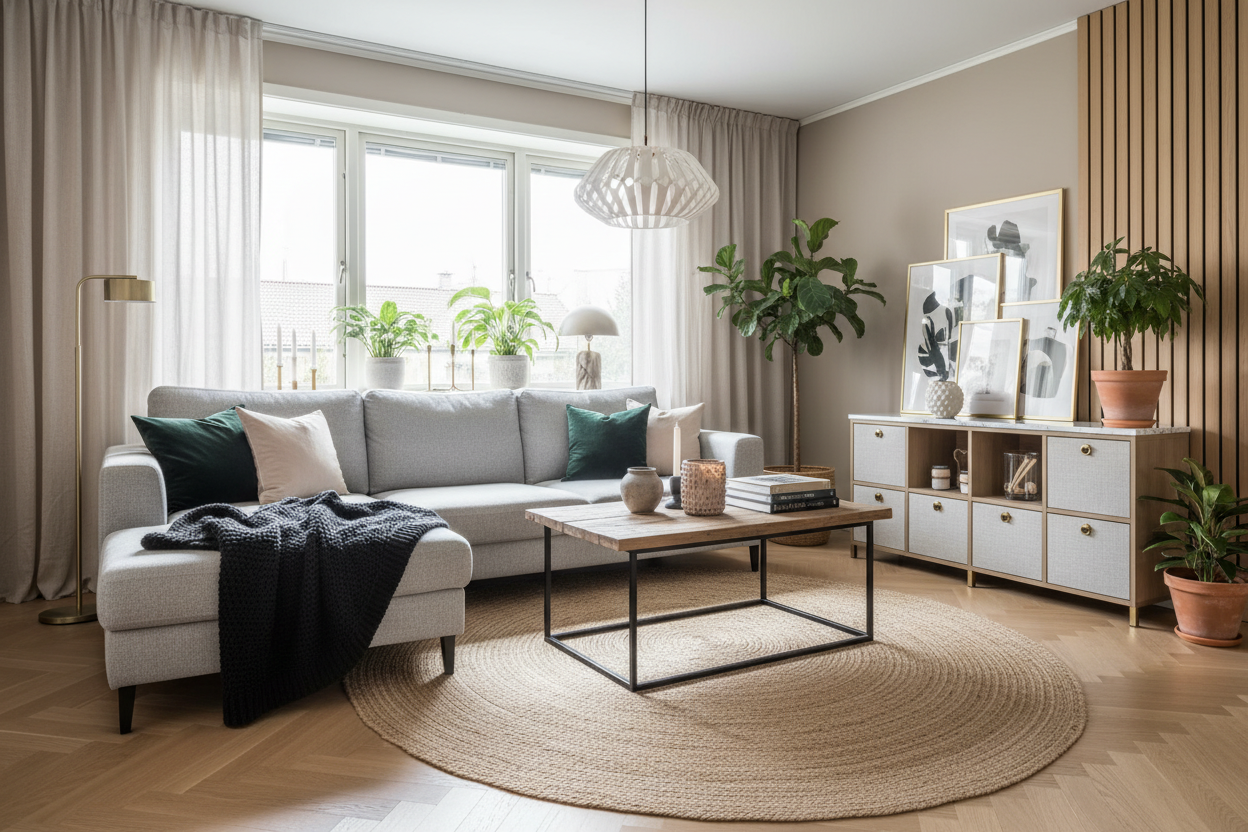
Use an area rug to ground your desk setup. Visually, a rug defines a 'zone' on the floor plan. Even if your desk is in the living room, placing it on a distinct rug creates a psychological boundary that says 'this is where work happens.'

Leave a comment
This site is protected by hCaptcha and the hCaptcha Privacy Policy and Terms of Service apply.